
Skip to content
← PPC Infographics
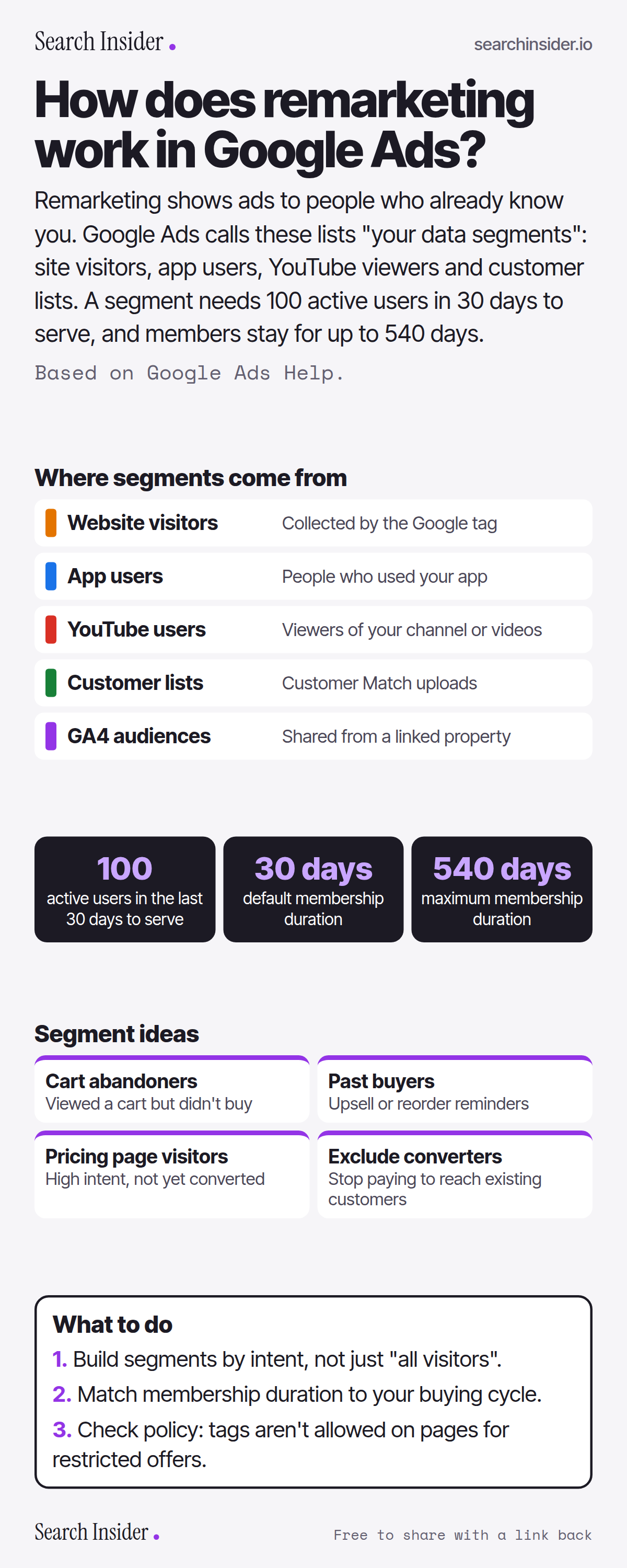
Google Ads remarketing infographic: five segment sources (website visitors, app users, YouTube users, customer lists, GA4 audiences), three key numbers (100 active users, 30-day default, 540-day maximum membership), four segment ideas, and three steps on what to do.

Oct 6, 2026

How Remarketing Works in Google Ads (Infographic)

How remarketing works in Google Ads: your data segments, where they come from, the 100-user minimum, membership duration up to 540 days, and segments worth building.

Embed this infographic

Every infographic here is free to republish, on any site, with a link back to the study it comes from. Paste this code and the credit is done for you.

<a href="https://searchinsider.io/infographics/google-ads-remarketing"><img src="https://searchinsider.io/research/google-ads-remarketing/google-ads-remarketing-infographic.png" alt="Google Ads remarketing infographic: five segment sources (website visitors, app users, YouTube users, customer lists, GA4 audiences), three key numbers (100 active users, 30-day default, 540-day maximum membership), four segment ideas, and three steps on what to do." style="max-width:680px;width:100%;height:auto;" /></a><p>Source: <a href="https://searchinsider.io/infographics/google-ads-remarketing">Remarketing in Google Ads infographic</a> by Search Insider.</p>

How does remarketing work in Google Ads?

The short answer: Remarketing shows ads to people who already know you. Google Ads calls these lists "your data segments": site visitors, app users, YouTube viewers and customer lists. A segment needs 100 active users in 30 days to serve, and members stay for up to 540 days.

Based on Google Ads Help.

What it shows

  • Google Ads now calls remarketing lists your data segments.
  • Segments can come from website visitors, app users, YouTube users, customer lists and GA4 audiences.
  • A segment needs at least 100 active visitors or users in the last 30 days to serve on Display, Search and YouTube.
  • Membership duration defaults to 30 days and can be up to 540 days.
  • Google Ads doesn't allow tags on pages related to policy-restricted offers.

What to do

  • Building: Segment by intent, not all visitors.
  • Duration: Match it to your buying cycle.
  • Policy: Check restricted-offer rules.

The walkthrough

What are your data segments in Google Ads?

Your data segments, formerly remarketing lists, are collections of website visitors or app users gathered by code added to your site or app [1]. They can also come from YouTube users, customer lists and GA4 audiences [1].

How big does a remarketing segment need to be?

At least 100 active visitors or users within the last 30 days to serve on the Display Network, Search and YouTube [1].

How long do people stay in a segment?

The membership duration defaults to 30 days and can be set up to 540 days [1].

Can every business use remarketing?

No. Google Ads doesn't permit tags on pages related to policy-restricted offers [1].

More digital marketing infographics

404 errors infographic: a 404 banner with Google's view that 404s are normal, which status to return in four cases, three facts on how Google treats 4xx and soft 404s, a checklist for a good custom 404 page, and three steps on what to do.

SEO · Oct 6, 2026

Do 404 errors hurt your SEO?

Do 404 errors hurt SEO? How Google treats 404s, why soft 404s are the real problem, which status code to return, and how to build a good custom 404 page.

Embed code
<a href="https://searchinsider.io/infographics/404-errors"><img src="https://searchinsider.io/research/404-errors/404-errors-infographic.png" alt="404 errors infographic: a 404 banner with Google's view that 404s are normal, which status to return in four cases, three facts on how Google treats 4xx and soft 404s, a checklist for a good custom 404 page, and three steps on what to do." style="max-width:680px;width:100%;height:auto;" /></a><p>Source: <a href="https://searchinsider.io/infographics/404-errors">404 errors infographic</a> by Search Insider.</p>

AI-generated content infographic: a quality not method banner, a split of fine uses versus uses against Google's rules, a pre-publish checklist (accuracy, metadata, who, how, why), a Merchant Center note on labeling AI images and product data, and three steps on what to do.

AI search · Oct 6, 2026

Does Google penalize AI-generated content?

Google's stance on AI-generated content: quality over production method, what breaks the scaled content abuse policy, and a checklist before publishing AI-assisted content.

Embed code
<a href="https://searchinsider.io/infographics/ai-generated-content"><img src="https://searchinsider.io/research/ai-generated-content/ai-generated-content-infographic.png" alt="AI-generated content infographic: a quality not method banner, a split of fine uses versus uses against Google's rules, a pre-publish checklist (accuracy, metadata, who, how, why), a Merchant Center note on labeling AI images and product data, and three steps on what to do." style="max-width:680px;width:100%;height:auto;" /></a><p>Source: <a href="https://searchinsider.io/infographics/ai-generated-content">AI-generated content infographic</a> by Search Insider.</p>

Anchor text infographic: an example link with the anchor text underlined, four vague or stuffed anchors swapped for descriptive ones, four rules on image links, internal links, length and keyword stuffing, a note on Google's link spam examples, and three steps on what to do.

SEO · Oct 6, 2026

What is anchor text, and what should it say?

What anchor text is, what Google says it should say, good and bad examples, image link alt text, and which anchor practices Google lists as link spam.

Embed code
<a href="https://searchinsider.io/infographics/anchor-text"><img src="https://searchinsider.io/research/anchor-text/anchor-text-infographic.png" alt="Anchor text infographic: an example link with the anchor text underlined, four vague or stuffed anchors swapped for descriptive ones, four rules on image links, internal links, length and keyword stuffing, a note on Google's link spam examples, and three steps on what to do." style="max-width:680px;width:100%;height:auto;" /></a><p>Source: <a href="https://searchinsider.io/infographics/anchor-text">Anchor text infographic</a> by Search Insider.</p>


